Your floor plan, bookable anywhere.

Upload the plan, draw the tables, seats or spaces, and take reservations on any website with one script tag. Self-hosted, no monthly fee.

The map below is the real product, embedded on this page the same way it would be on yours. Pick a date, tap a table, book it.

Live · reservations reset nightly

Embedded with <script src="…/embed.js" data-map="restaurant">

One line of HTML. Any website.

SeatMap runs on your own server and hands you a snippet per map. Paste it into a WordPress page, a Shopify theme, a Webflow embed, or a plain HTML file — the map renders there, sized to fit, and every booking lands in your admin.

  • Sizes itself to the content — no scrollbars inside the map.
  • Follows the visitor's light or dark mode, or force one with data-theme.
  • Works without third-party cookies, so it books fine inside any site.
WordPressShopifyWebflowWixSquarespacePlain HTML
<!-- Paste where the map should appear --> <script src="https://your-domain.com/embed.js" data-map="restaurant" data-theme="auto" async></script>

An admin your staff can actually use.

Draw the plan, watch bookings arrive, confirm with one click. Everything below is the live demo — sign in and try it.

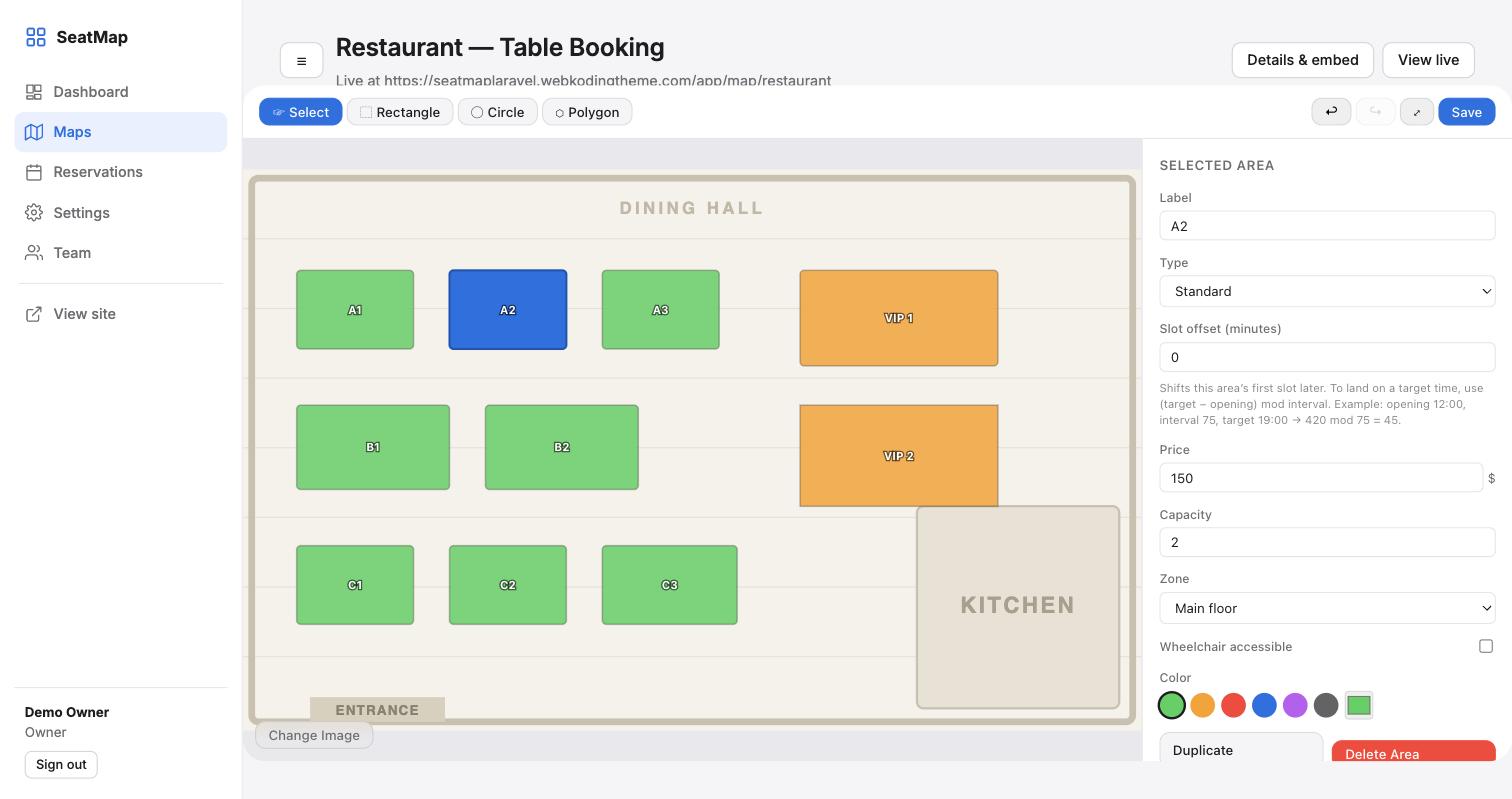
/admin/maps/restaurant/edit
The map builder: a restaurant floor plan with rectangles drawn over each table, and a side panel editing table A1's price and capacity.

Drop in any image and draw rectangles, circles or polygons over it. Each area gets a label, price, capacity, zone, a wheelchair flag and its own colour. Select several and edit them at once; undo anything.

/admin/reservations
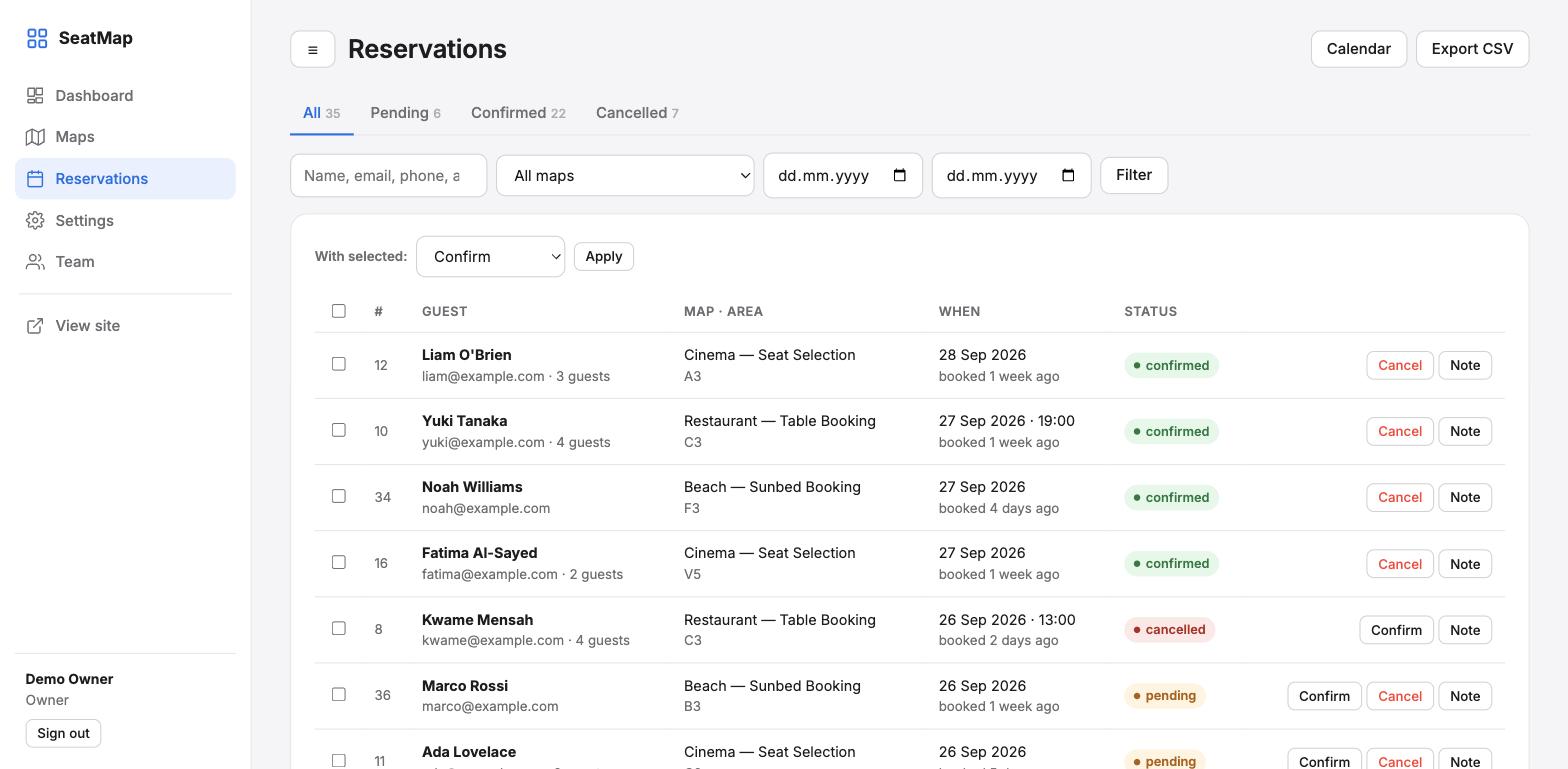
The reservations list with guest names, areas, dates and pending, confirmed and cancelled badges.

Filter by map, status, date or guest. Confirm or cancel one at a time or in bulk, leave internal notes, switch to a month calendar, export to CSV. Guests get an email with a calendar invite at each step.

/admin
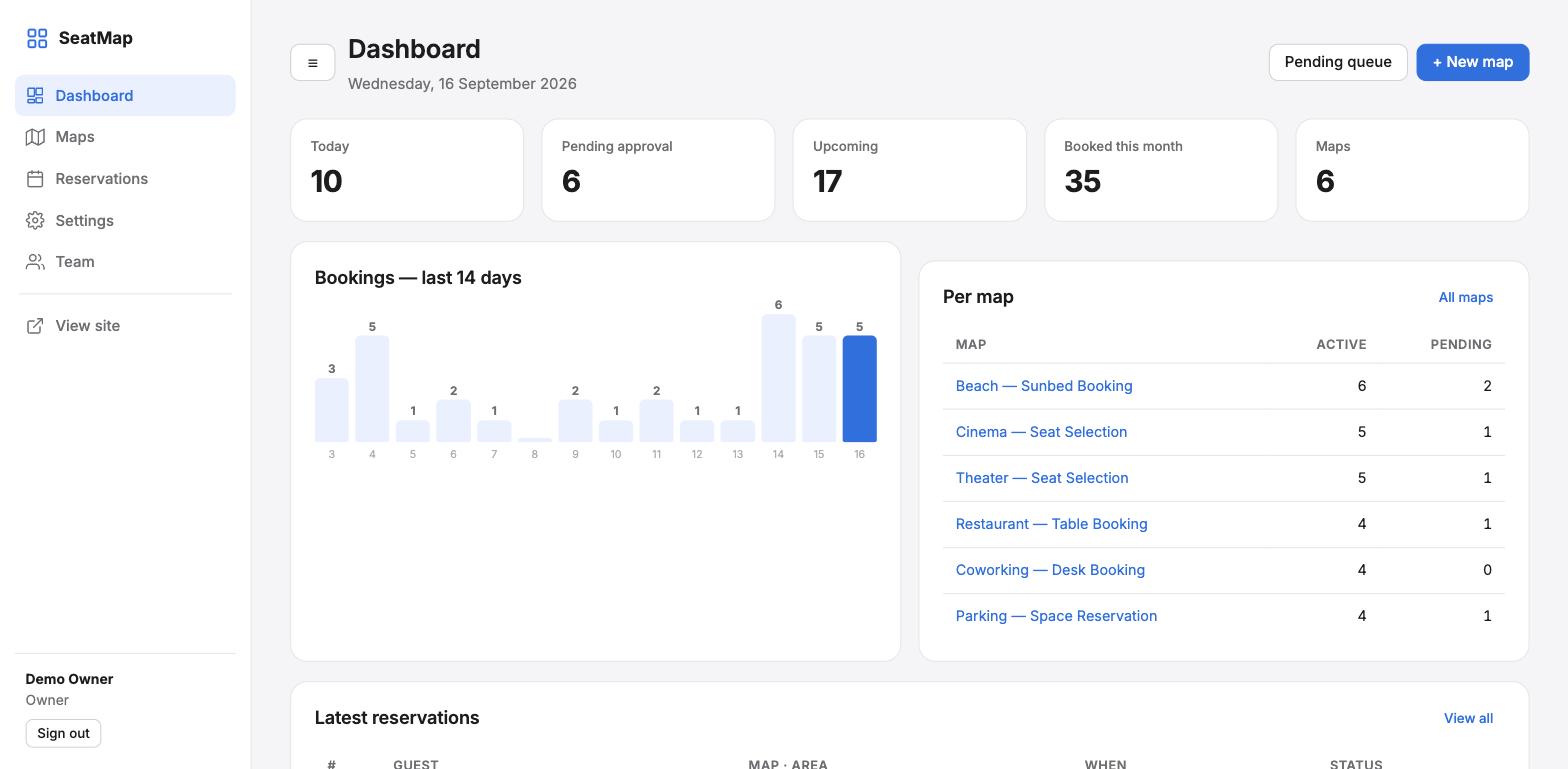
The dashboard with today's bookings, pending approvals, a 14-day chart and a per-map table.

Today at a glance: what is booked, what is waiting for approval, which venue is busiest, and the last two weeks of demand.

Built for the way venues actually book.

Dates, time slots or instant

Each map picks its mode: a calendar with time slots for dinner, a date range for sunbeds, or nothing at all for a parking space right now.

Opening hours and closed days

A weekly schedule per map. Closed days are struck through in the calendar; each weekday can keep its own hours.

Seasonal and weekend pricing

Rules like “weekends +20%” or “July and August: 250”. The same rule engine runs in the browser and on the server, so the price shown is the price stored.

Group bookings

Let a guest pick a whole row of cinema seats or four sunbeds in one go, with a guest count on each booking.

Filters, zones, accessibility

Visitors search by name, cap the price, filter by zone (Stalls, Balcony, Floor 2) and show only wheelchair-accessible areas.

Double bookings can't happen

Conflicts are checked inside a database transaction with row locks. Two people racing for the last table: one gets it, the other is told immediately.

Emails with calendar invites

Received, confirmed and cancelled emails to the guest, each with an .ics file, plus a heads-up to you for every new booking.

Owner and manager roles

Managers handle reservations. Settings, the builder and the team stay with the owner.

Installs in three screens

Upload, open the URL, enter your database and your email. Dependencies are bundled: no Composer, no Node, no terminal.
Six venues, live right now.

Each one shows a different booking mode. Open any of them and make a reservation.

From upload to first booking.

Upload the plan

A photo, a PDF export, a sketch — any image works. No image? Draw on a blank grid.

Draw the areas

Rectangles, circles or polygons over each table, seat or space. Set the price, capacity and hours once per map.

Share or embed

Send the map's link, or paste the snippet into your website. Bookings arrive in the admin and in your inbox.

One payment. Your server. Your data.

No per-booking fees and no monthly plan. The licence covers one production site and its staging copy.

  • Full source: Laravel 12 backend, React map builder, vanilla JS widget
  • Six ready-made demo maps to start from
  • Six months of support and a year of updates
$49one-time
See it working first

Launching on CodeCanyon. Until then, the demo is fully open — including the admin.

Questions people ask before buying

Do I need WordPress?

No. SeatMap is a standalone application. It runs on any PHP host and its maps embed into WordPress, Shopify, Webflow, Wix or plain HTML with the script tag. If you only want a WordPress plugin, we sell one of those separately.

What does the server need?

PHP 8.2 or newer, MySQL 8 or MariaDB 10.6+, and the usual PHP extensions (PDO, mbstring, OpenSSL, fileinfo, GD). That is a standard shared host or any VPS. The installer checks all of it on the first screen.

Can guests pay online?

Version 1 takes bookings with a guest form and lets you confirm them; you settle payment your usual way. Stripe and PayPal checkout with optional deposits is the next release and will be a free update.

Can two people book the same table?

No. The server checks for a clash inside a locked database transaction before saving. The second person sees “this area has just been reserved” and the map refreshes.

Is it translatable?

Yes. Every string in the admin, the widget and the emails goes through Laravel's JSON language files. Add a file for your language and switch the locale.

How is the embed kept safe?

Each map page carries a signed, time-limited token; the booking API accepts writes only with it, and it is rate limited. Seat ids are validated against the map on the server, so nobody can book an area that does not exist.